


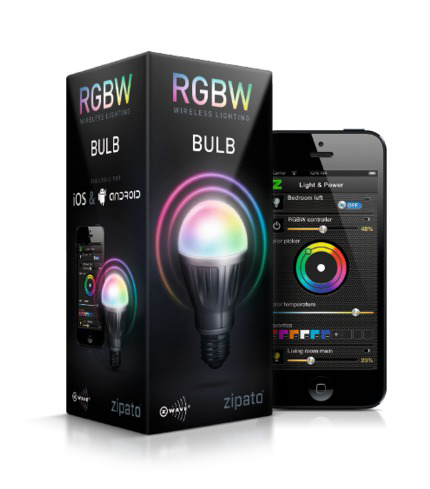
Setting Up the Zipato Smart Color Bulb With A Z-Wave Controller
As those of you with Z-Wave controllers know, to make a Z-Wave device like a Zipato bulb work with your Z-Wave controller, the bulb must be “enrolled.” That’s the equivalent of “pairing” a Bluetooth device.
To make this happen is rather straight forward. You go to your Z-Wave controller, put it in its “enrolling device” mode. It’s then ready to see new devices – such as a Zipato bulb if the bulb is ready to be “enrolled.” For this to happen, the bulb needs to be plugged in to a standard E27 light socket whose power is on. With the Z-Wave controller looking for devices, tap the Zipato bulb twice on the glass. It will briefly light up green which tells you its ready to be enrolled. At that point, your Z-Wave controller will see it and enroll it. Depending on how much support your Z-Wave controller has for color bulbs, the support could be anything from treating the bulb as a simple, non dimming white bulb (unlikely), or more likely, a white bulb with dimming capabilities.
What you want of course, is a controller which supports color settings, and of course, even beyond that, the ability to control color changing, fades, and the timings of those. My current SmartThings controller, as noted, let’s me select a color to use, but each time I want to change the color I have to go to the color wheel… By comparison, my Lightify app for my Lightify outdoor color lighting lets me save dozens of colors from the color wheel, for quickly changing from one pre-defined color to the next. Lightify just adding the ability to have colors change quickly from less than a minute, to over a full hour.
BTW the Lightify outdoor Color Garden Spot Lights will be our next Color Lighting review.
But back to the Zipato smart bulbs. One thing its helpful to understand is that the Zipato bulbs really are “smart.” Once you’ve fed it an instruction – such as turn on at 50% red, that is stored inside the bulb. That translates into the light being able to function even if it loses contact with the Z-Wave controller.
For now, it’s going to be up to you to decide whether your controller, or a controller you are considering will do for you want you would like using Zipato bulbs.
[sam_pro id=”1_21″ codes=”true”]