



Wink Review – Setup, Bringing the brains of your home automation to life.
I was excited to get the Wink hub up and running, I was a little worried this was going to be big job. Re configuring my router, changing the network setup, and whatever else may be needed to add a Wink smart hub into the mix. I have a pretty busy home network with 2 teenagers, who’s whole lives seem to be connected via phones, tablets and PC’s. The Wink hub was going to have to be able to work well with all the traffic.
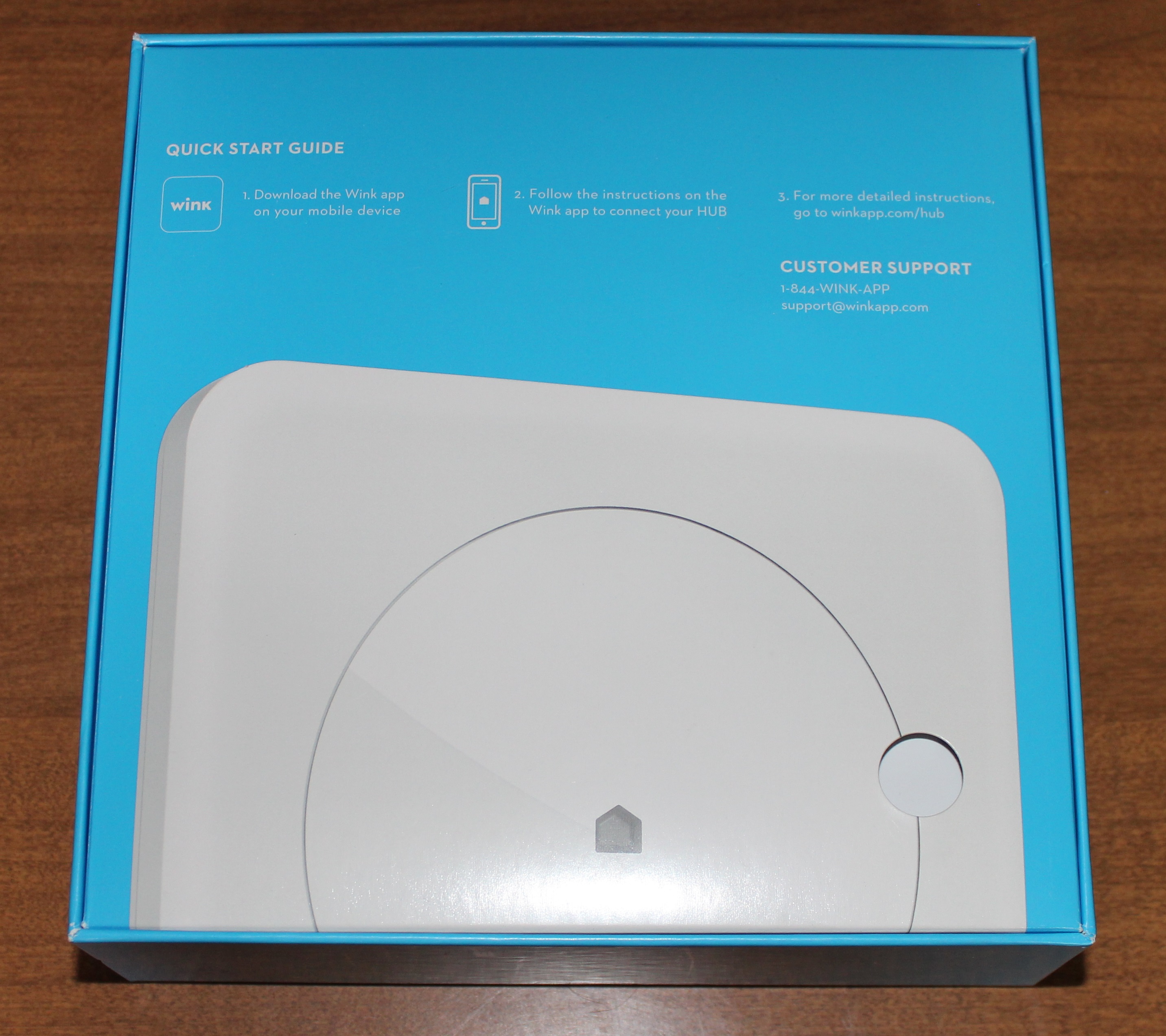
As I opened the box there was the quick start guide. I was somewhat perplexed it was only 3 steps long.
- Download the App.
- Follow the instructions on the app to connect to your hub
- For more detailed instructions visit the website .
OK, so really its 2 steps. Download the App, and Use the App. That seems pretty straightforward now doesn’t it.
I was quite surprised when I pulled the Wink hub out of the box. There were no network ports! Just a power adapter. No power button, no menu button, very simple. I did notice there was a small pin hole reset button. The Wink hub is completely wireless.

I was longing for the ability to cable it to the router. Then I realized, being completely wireless, allowed me to strategically place the Wink hub in the center of my house. Truly being the “hub” in my connected home. The Wink hub has a very simple and elegant design. Now it sits strategically placed on a shelf near the center of my soon to be smart home.
I do want to stress again since the Wink Hub is completely wireless that is a great feature if you are in a large house or even an apartment. It allows you to centrally locate it and get better coverage across all your devices. This also comes in handy with one of Winks other features. Wink allows you to have multiple Wink hubs as part of your smart home setup.
[sam_pro id=”1_22″ codes=”true”]
This gives you even more flexibility if you want to control devices in your home and around your property. The wireless installation allows you to locate them anywhere, as long as they can connect to your wireless network.