



Wink Review – Robots, Shortcuts and Google Now

As I mentioned in the beginning, the Wink hub has a large amount of connectivity. Supporting many different types of devices and connections. Now with everything connected it’s time to dive into the features. Being able to connect lots of devices is a plus, but being able to use them in the app to automate your home and activities is the real goal.
There are a lot of features in the Wink app. You can group devices and give the group a name. I created a group called outside lights, Dads room, living room, table and more. Allowing me to control all those lights as one, instead of controlling them each individually. Also, as I mentioned above. Amazon Echo also gets access to the group names.
Wink refers to home automatons as Robots. As if you have a robot going around the house doing those tasks for you. They have a pretty endearing commercial on you tube presenting this notion. The Wink app also has the ability to schedule events and tasks, although a little hidden, its in there. We will touch on those in a bit.
A few taps of the phone and I was able to create a couple robots that I found useful. The first Robot, I named “Someone’s Home’. I simply chose the robot to activate when Nest Away, detects someone is home. I set the time period to anytime. Then as a result, I set the robot to alert me via email.
This robot has been pretty entertaining. Now I get an email when anyone enters the house and walks through the living room. This only happens when Nest has been in away mode. Now I know when the kids are home from school. Who was on time… who was late… Muhahaha!
My second Robot was not as diabolical. When Nest detects we are away. Wink will wait 10 minutes, then lock the door! Which gives me a piece of mind. Yes sure, I now have the power to lock and unlock the door from anywhere. It is still comforting to know that if I forget to check, Wink has me covered. I didn’t set an alert of the message on this robot. I don’t really care to know how often I forget to lock the front door.
The last Robot I created uses geo-fencing. Geo-Fencing is a feature that uses your location to set certain events in motion. In this case, the Wink app runs on your phone keeping track of where you are via GPS. Then it can take actions when you enter certain areas or locations. This Robot, which I cleverly titled,

“Leave a light on “. will monitor my location after sunset. Then when I return home, it will turn on the porch light. No one likes to pull into a dark driveway.
The only downside I found is the same with many app driven events. When my phone battery gets really low, I often shut off my [sam_pro id=”1_14″ codes=”true”]GPS and other services. Trying to make that last bit of battery last as long as I can. This defeats the robot as the app has no GPS to use. It worked good as long as I didn’t mess with the functions on my phone it needed to be successful. I did enjoy pulling up to my house and watching the porch light turn on as I approach. There were even a couple of times I was able to make it down the street and see the light turn on as I approached the house.
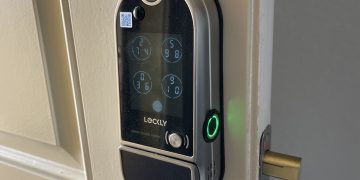
A Wink Robot can also be used just to notify you when an event takes place. As I have my Schlage lock connected to the Wink hub. I was able to create a robot so that I would receive an alert when the lock was unlocked. With each member of my household having their own code, it was nice to know who was entering the house and when. I think for most of us parents of teenagers, it’s nice to know they are home. This could be a very nice feature if you have a younger son or daughter who walks home from school. You know when they arrive and that they are home safe. In the same manner, you will know when they do not make it home on time also. You may do with that knowledge what you may. Now.. I didn’t tell my kids about this one, so lets keep this our secret.