




One thing to look at about the Ecobee3 thermostat before the summary is to consider the Lil’Bee sensor that came with my Ecobee3. I see that additional packs of two sensors can be purchased, and I believe there is now an Ecobee3 package that comes with 3 sensors, for those that prefer.
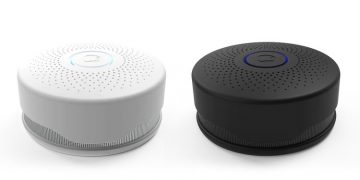
The “Lil’bee” sensor detects motion, temperature and humidity. Ecobee recommends that you mount the sensor “standing up” or mounted to a wall where the actual sensor itself is in the open so it can detect movement, and have air flow, so it’s measurements are more accurate.
I use mine in another part of our large living room in our “dream home” project. The Ecobee3 itself is where previous thermostats resided, and is a little close to the kitchen. If there’s cooking on the stove – about 4-6 feet away, the Ecobee3, as you would expect tends to show a warmer temp than the rest of the room that’s further away. I set the Ecobee3 to use an weighted average of the two sensors. I can also use the motion sensor aspects to “follow me,” to know if I’m in the room or not. Basically the sensors can be used in multiple rooms, they can detect where you are, and impact the temperature settings.
For example, you might have a sensor in a room you are active in, where the room is 67 degrees, but the Ecobee itself is in a room that’s 70 degrees. If set up to do the job right, The Ecobee3 knowing that you are in that other room, and you have the thermostat setup to turn on the heat at 69 degrees, even though the Ecobee3 itself is in a warmer room, the heat will come on. Nice touch!. You can determine the averaging of the sensors appropriately to control the affects.
I was interested, since I work in my theater/office all day, to see if when I came downstairs the motion detection would know, and raise the heat downstairs immediately. That won’t work, Ecobee has intentionally maintained a slow balancing of the sensors in terms of their affecting the Ecobee’s actions. Otherwise, every time I came downstairs, even for just a few minutes, the heater might come on.
So basically, if the Ecobee fails in one area, it that it can’t read my mind. It can’t guess how long I plan to be in a given room with sensor. Alas! I guess I’ll just have to use Siri, or Alexa, or SmartThings to turn the heat on sooner, if I plan to stay downstairs, and don’t want to wait long enough for the sensors to average out things.
Here’s the great thing. That’s one of only two real (and minor) issues I’ve been able to come up with.
Ecobee Manual Control, and Hold
OK, it’s great, you’ve set your schedules, you might even have GeoFencing dynamically affecting things (see below), but the truth is, there are always exceptions. You go to bed early, you are home when you didn’t expect to be, or the other way around. Or sometimes, when you have the smart home set to 68 degrees, you aren’t warm enough and want 71 degrees. Or…
Well, at any time, by touching the Ecobee3’s slider, you can adjust the temperature. Or you can do it by speaking to Siri or Alexa something like: “Set the Ecobee3 to 71 degrees,” or you can do it in the app, or from the Ecobee website. No surprises here at all.
But what happens when you do say, in that example: Set the Ecobee3 to 71 degrees? Well, of course the Ecobee3 does change its setting to that temperature – but for how long?
That’s a menu choice – for 2 hours, or for 4 hours, or until the next scheduled change. When you do a manual adjustment from the thermostat, you will see on the Ecobee3 “71 degrees until 5:30” or whatever 2 hours is, or 4 hours, or the next schedule change depending on the preference you set in the menus. When you control remotely, say by Siri, you would see the message. “71 degrees and holding.” That’s all straightforward enough.
But that does remind me that those options could – and should be expanded by Ecobee. Why not allow more choices other than 2 hours, 4 hours or next schedule, why not: 4 hours or next schedule whichever comes first, and also 4 hours, regardless of schedule, and why not 1 hour, 30 minutes, 6 hours… In fact, why not allow those additional options by voice command or app. For example, why not this: “Set the Ecobee3 for 71 degrees for 5 hours.” Or “Set the Ecobee3 for 71 degrees until 30 minutes after sunset.” OK, I know that kind of complicated commands can be programmed by DIY types using IFTTT, but most of us like simple. I know there’s a trade-off – too many choices make for less simplicity, but since Ecobee3 plays so nicely with voice control from Siri and Alexa, why not expand its range of abilities in this area?
GeoFencing and Ecobee3
I almost forgot to mention GeoFencing, which the Ecobee3 folks are really big on. For those not familiar, as you already know, smart thermostats typically have an “I’m away” mode, where they behave in a certain way if the home is empty. But how does it know?
- You can tell it: For example by Voice command using Siri, etc. from inside the house, or after you have left.
- You can tie it to routines that are part of your smart home’s controls. So that, for example locking your door’s mart lock in the daytime could trigger the away mode.
- GeoFencing – The Ecobee3 knows you are away because your Smart Home knows that you and other “residents” of the home are all out of the home because it is monitoring locations of your smart phones smart cars, etc.
So, for example, with Geofencing, your home, and Ecobee3 know, say when the first person “returns.” Returning could be getting within 1 mile, or maybe 300 feet. of the smart home. That can trigger an I’m Home mode on the Ecobee, so that heat fires up, and geofencing might also turn on lights, if at night etc. GeoFencing also works to open a garage door when you and your car get within a few hundred feet – whatever you set it for. Or it can unlock a compatible smart door lock… You get the idea.
I expect to integrate Geofencing significantly into our whole Smarter Home – Dream Home, over the next few months as it becomes more viable and supported.
So add remote sensors, geofencing and other capabilities to the Ecobee3’s long list of capabilities.
And that’s why…
[sam_pro id=”1_1″ codes=”true”]
Art's been reviewing high tech products and editing their reviews for 15 years. He launched his first website presenting solutions.com (sold in 2003) in early 1995 when there were only a few thousand .coms. He launched ProjectorReviews.com in 2000, and started planning Smarterhomeautomation.com back in 2011.
Art's goal is to provide in-depth reviews on the latest and hottest products that fit into the Smart Home, aka Home Automation, as well as insightful articles to educate people into what's available, what makes the most sense, and where the market is going, so people can better plan, and implement their goals for energy efficient, convenient, and downright "cool" capabilities.
Ancient history: Born in Allentown PA, Graduated 1972. Sold and managed stereo stores (and did a little surfing) in the early, mid-70's before getting into computers and more AV. Managed the first computers store in Pa, starting in 1979 (not the first manager). Moved to selling computers to major accounts. Then moved west to SF area, for a four year stint with Epson starting in 1982, then left for one of the early large venture backed start-ups in the Silicon Valley - Presentation Technologies. Left there to start up Presenting Solutions, which became the first projector focused reseller on the internet (Jan 1995). Married Lori in 1990, and have been enjoying our daughter Lisa, since 1992! Presently living, and working in San Clemente, CA.